Lidless
macOSMITKeep your Mac awake with the lid closed
Lidless is a tiny macOS menu-bar app that keeps your Mac running even with the lid closed — so coding agents (Claude Code, Codex, etc.) keep working while you move around. Open source, built in SwiftUI, with a crash watchdog and safety guards.
Features
Stay awake with the lid closed
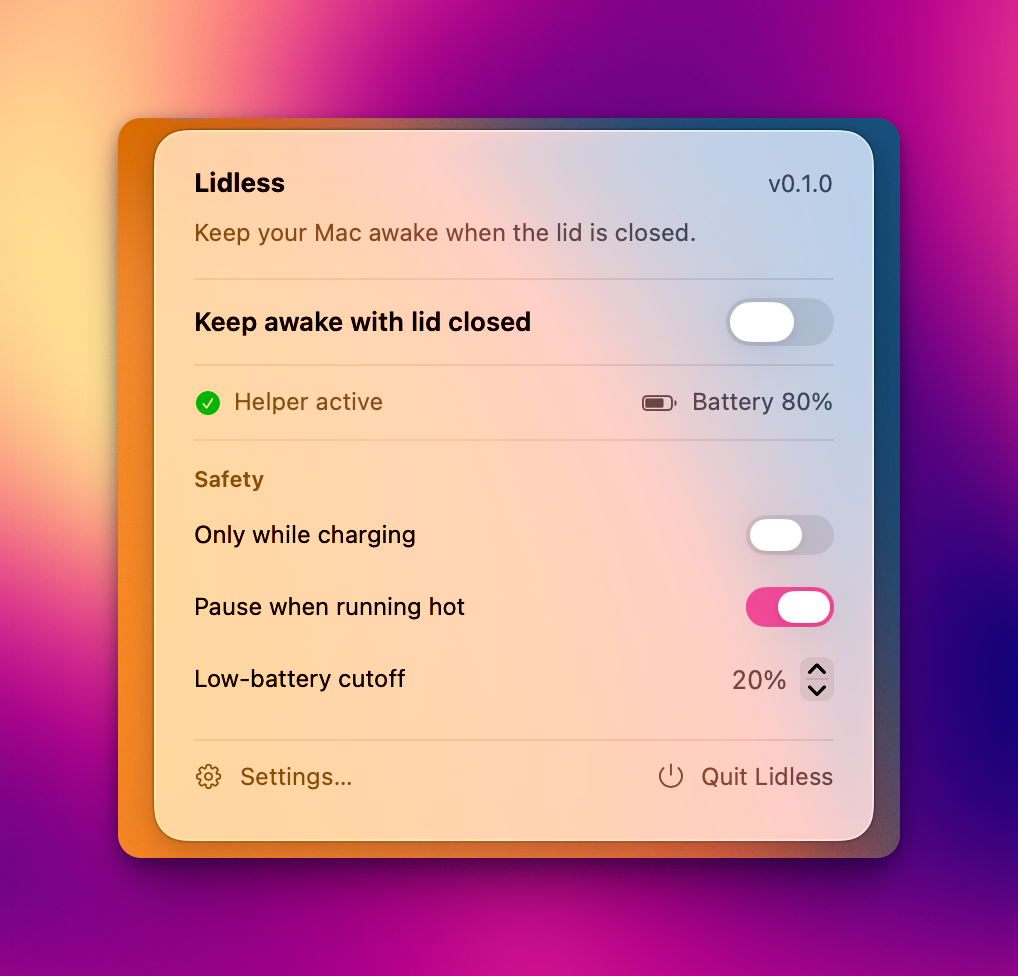
One-click menu-bar toggle keeps your Mac running even when the lid is shut — so coding agents keep working while you move around.
No-password background helper
A privileged helper registered via SMAppService flips the flag, so toggling never asks for your password.
Crash watchdog
If the app crashes or is force-quit, the helper restores normal sleep — your Mac can never get stuck awake.
Safety guards
Auto-pauses when running hot, an only-while-charging option, and a low-battery cutoff.
Auto-off timer
Optionally turn keep-awake off after 15 minutes to 4 hours, with a live countdown in the menu.
Automatic updates
Updates over Sparkle with an EdDSA signature, plus launch-at-login — always current and safe.
How it works
macOS sleeps when you close the lid. On Apple Silicon, the reliable way to override that is the SleepDisabled flag in IOPMrootDomain (what sudo pmset -a disablesleep 1 sets) — caffeinate does not prevent lid-close sleep. Lidless talks to a root helper over XPC; the helper flips the flag with no admin prompt and runs a heartbeat watchdog. If the app stops checking in (>90s), the helper restores sleep so your Mac can't get stuck awake.
Install
- Download the
.dmgwith the button above and open it. - Drag Lidless into your Applications folder.
- Open Lidless, then approve the background helper at System Settings → General → Login Items & Extensions when prompted.
- Flip Keep awake with lid closed — done. Keep it plugged in and ventilated when running with the lid closed under heavy load.
Source & license
Lidless is open source under the MIT License. Browse the code, report issues, or contribute on GitHub ↗.